
Tell Orville What to Build
Describe what you want, and Orville will produce manufacturing-aware CAD designs with your target process in mind. No engineering background required. Anyone can bring physical ideas to reality.
From language to reality.
Behind every product, device, and piece of infrastructure, there is a 3D model defining its ideal form. It used to take specialized CAD training to create those models. Orville lets you describe what you want, review the result, and move straight toward something real.
Describe
Explain what the part needs to do, what it must fit, and how it should be made.
“Design a steampunk gearbox coaster”
Review
Talk to Orville about the result, inspect the geometry, and give feedback without restarting the process.
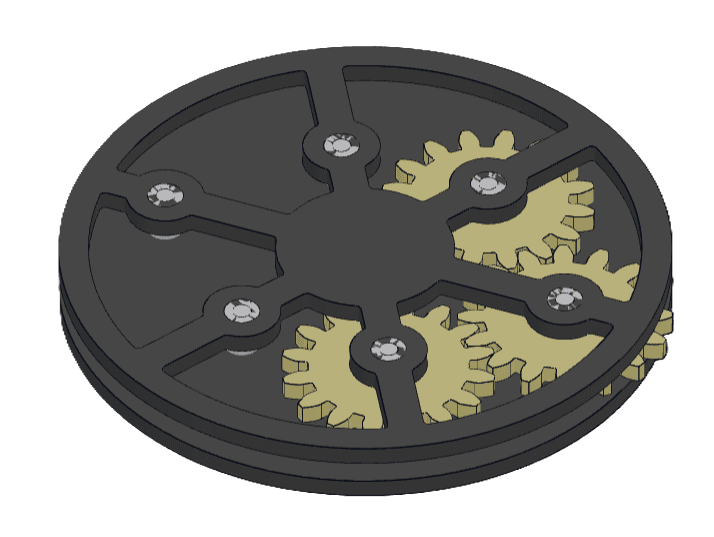
Rotate the model, talk through changes, and keep refining until the design feels resolved.
Build
Orville provides the files manufacturers need to make your parts.
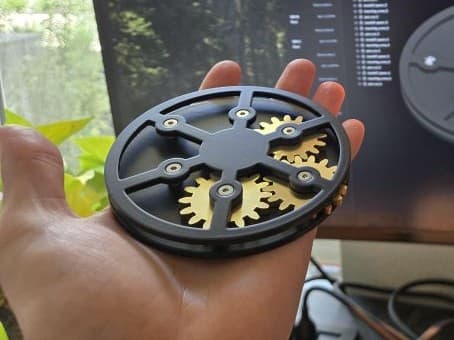
When the design is right, export the files and take them to the manufacturer, shop, or toolchain that fits your project.
Built to accelerate everyone
For the bottlenecked professional
Use Orville to clear the fixture, bracket, enclosure, and tooling work that would otherwise consume hours of drafting time.
For the visionary maker
Turn product ideas into build-ready starting points without spending months climbing the learning curve of legacy CAD.
For companies with tight timelines
Skip the traditional drafting queue. Instantly generate, review, and finalize manufacturable parts without waiting days for iteration cycles.
Technical Stuff
Parametric solids
Orville builds mathematically defined solids for real CAD and manufacturing workflows, not visual-only meshes. The parts are B-rep models available in STEP format, which is widely accepted by manufacturers and readily usable for CNC machining and 3D printing.
Grounded in physics
The system is grounded in dimensions, fit, wall thickness, and geometry that can survive contact with reality. When relevant, Orville provides basic analytical results and margins for things like structural and thermal performance, presented in a way that is easy to review and verify.
Manufacturing
Orville understands and follows manufacturing constraints. Tell it what processes are available to you. You can tell Orville to use:
- Sheet cutting and bending constraints for metal, wood, and plastics, including flat-pattern-friendly brackets, enclosures, and structural parts.
- 3D-printing-aware geometry for prototypes, fit checks, and screening parts before higher-volume plastic production.
- CNC-machining-aware geometry for parts where precision, material selection, and tool access matter.
Prepaid usage covers design generation and iteration. Use the exported files with your preferred manufacturer or production partner.
Pricing
Start at $20 and top up when you need more.
Every paid job draws down from the same prepaid balance. Choose your starting amount during signup, then add funds again only when you need more paid runs.
Start with the balance amount that fits you best. After that, top up manually or enable auto-recharge.
- Prepaid balance for paid jobs
- No subscription required
- Same workspace and export flow
- Top up again any time